Warehouse Picking Digitalization Example in 6 Steps
A real-world example of warehouse picking digitalization: less searching, fewer errors, better inventory visibility, and more predictable fulfillment every day.
Short Answer
A real-world example of warehouse picking digitalization: less searching, fewer errors, better inventory visibility, and more predictable fulfillment every day.
A warehouse manager sees in the system in the morning that all orders can be fulfilled. By noon, however, three items are missing, two colleagues are working on the same shelf, and customer service is already trying to find out which order was left incomplete. A warehouse picking digitization example is useful when it demonstrates not just the acquisition of a barcode scanner, but how fragmented information becomes a manageable process.
Picking errors rarely originate solely in the warehouse. Sometimes the webshop submits orders late, inventory is managed in two systems, or storage is still done on paper, causing discrepancies between system and physical inventory by morning. In such cases, the operation relies on the experience and memory of the workers. This may work short-term, but during growth, it generates more coordination, searching, and exception handling.
Starting point: the paper list is not the problem itself
Consider a medium-sized wholesaler where 180-250 order lines need to be prepared daily. Orders are recorded in an enterprise resource planning system by sales and the webshop. In the morning, a colleague prints a list of open items from the warehouse, and pickers check off the movements on paper.
At first glance, the issue seems to be the paper. However, the actual problem is more complex. The list does not account for which storage location has available stock, pickers traverse the warehouse in different sequences, substitute units are handled verbally, and stock reductions are only later updated in the system. If an order is short, the warehouse worker often only notices it at the shelf.
This situation is costly in human terms as well. An experienced colleague knows that a particular product might have reserves in the upper storage or what substitutions are acceptable for a customer. When they are on leave, the process slows down. Not because others aren't working well, but because the necessary information isn't part of the operational system.
What should be understood before digitization?
Before anyone chooses a mobile terminal, WMS, or new ERP module, it's worth following an order's path from receipt to delivery. Not the theoretical flowchart, but what actually happens on a busy Monday morning.
During the examination, four questions usually quickly reveal the real losses:
- When does an order become pickable, and who decides this based on what data?
- Which system or document is considered the authoritative source of inventory?
- Where is the same data, such as order number, item number, or quantity, manually recreated?
- What happens in case of shortages, damaged goods, substitutions, or partial shipments?
The answers often reveal that not all orders need to be handled the same way. A single-item, urgent webshop order may require a different logic than a multi-pallet B2B delivery. The goal of digitization is not to eliminate all exceptions. The goal is for the normal process to be fast and verifiable, and for exceptions to proceed visibly with documented decisions.
Warehouse picking digitization example on a working process
At the above wholesaler, the first decision was not to introduce a new system. First, they standardized storage locations and basic item data. Each pickable location received a unique identifier, and barcodes and packaging units that actually occur in the warehouse were recorded for the products.
This is less spectacular work than distributing a new handheld terminal, but without it, the terminal would only transmit uncertain data faster. If the same product has multiple internal names or a storage location is identified by a nickname, technology will not create order for them.
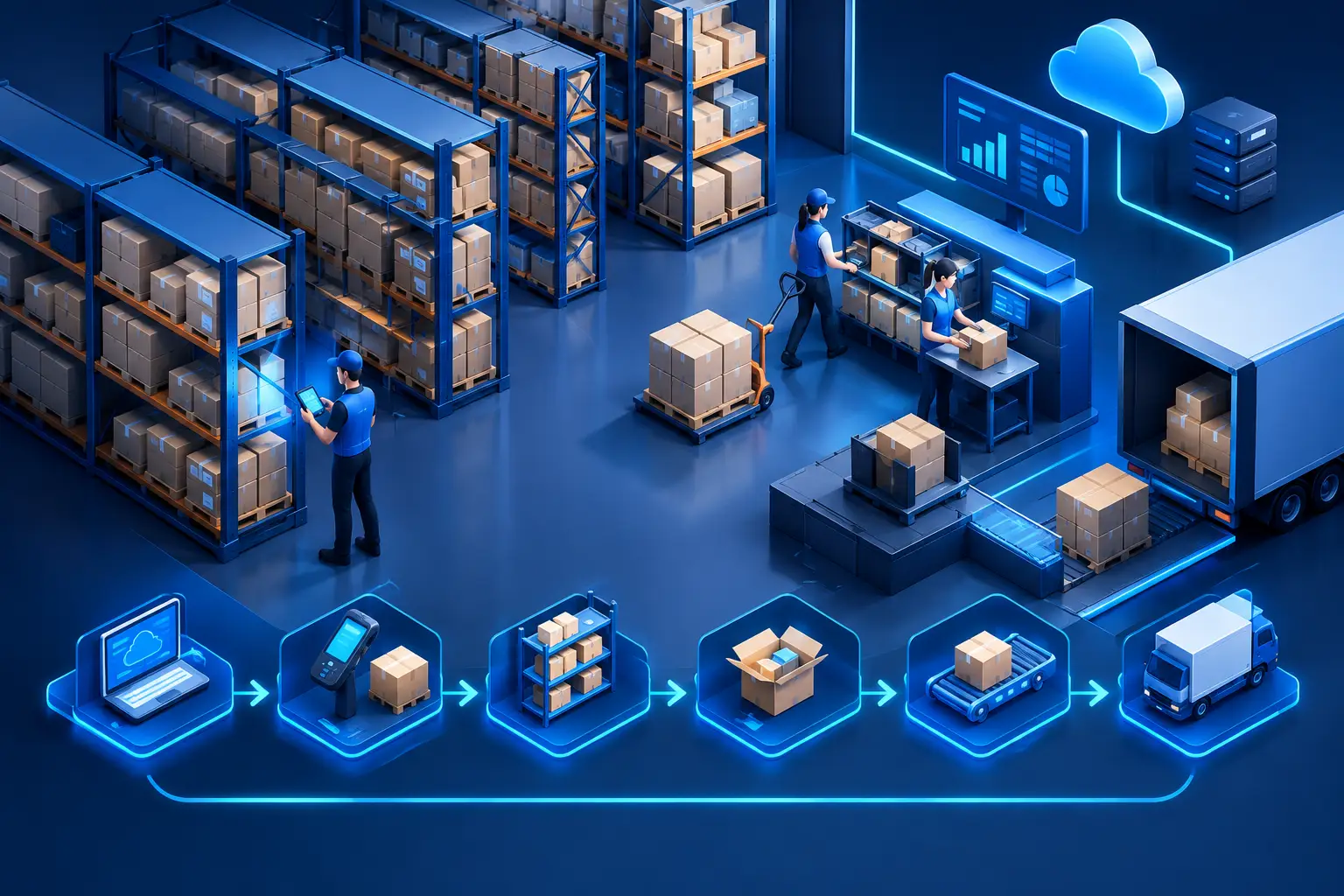
After establishing organized foundations, the process changed in six steps.
1. Orders only enter the warehouse in a verifiable state
The system does not send every new order immediately for picking. It first checks the order status, payment or approval conditions, and whether there is available stock for the items. If any data is missing, the order appears as an exception to the responsible administrator, not as a misleading paper list in the warehouse.
This eliminates the common situation where a picker starts assembling an order that later needs to be modified or held back.
2. The task is not a list but a guided work instruction
The picker receives the next task on a handheld device or industrial mobile application. The system shows the storage location, item number, required quantity, and where appropriate, the picking sequence. The worker does not work from a rigid, all-day printed list but receives tasks according to current priorities.
Optimizing the picking route is not always a priority. In a smaller warehouse, reducing errors may be more valuable than saving a few minutes of walking. However, in a large-item or multi-zone warehouse, merging tasks, allocating by zones, and managing congestion can free up significant capacity.
3. Scanning the product and location confirms the operation
The worker first scans the storage location, then the product. This way, the system not only records that picking occurred but also whether it was from the correct location and of the correct product. In case of quantity discrepancies, the application does not allow the step to be quietly closed.
This is not distrust towards colleagues. A good control point protects the worker from later complaints due to similar packaging or misleading labels. The goal is early error detection when it is still cheap to correct them.
4. Handling shortages is a workflow, not a phone call
If there is insufficient stock at the system-indicated location, the picker reports a shortage. This signal does not get lost on a paper submitted at the end of a shift. It can immediately trigger several predefined paths: request verification from the inventory manager, create a task for replenishment, or notify customer service about partial shipment.
Which of these occurs is a business rule. For a strategic customer, it may be justified to check a reserve location. For a low-value, easily replaceable product, quick and clear communication may be a better decision. The system should support this decision-making order, not replace it.
5. Packaging and delivery are also confirmed points
Many errors do not occur at the shelf but when assembled orders are mixed up. Therefore, in the process, there is also a check at packaging: the order ID, shipping label if necessary, and package number are linked. The status of the consignment handed over to the courier is fed back into the business system.
Its impact goes beyond the warehouse. Customer service sees the real status, sales do not promise inaccurate delivery times, and invoicing only starts linked to the appropriate business event.
6. Data becomes daily management
One of the real outcomes of digitized picking is not the scanner but the measurable process. It becomes visible, for example, the time between order release and completion reporting, the rate of shortages, frequent discrepancies, the number of replenishment tasks, and the workload per shift.
These data should not be used solely for individual performance measurement. If shortages are regularly higher in one zone, it could be due to faulty inventory records, poor storage discipline, inadequate minimum stock, or an overloaded replenishment process. Numbers help when they focus on system errors, not just people.
What technology is needed?
There is no one-size-fits-all answer for every company. A 20-person retailer may find a simple mobile picking function connected to the existing ERP and a few well-designed rules sufficient. A multi-site, high-volume company may require a dedicated warehouse management system, terminals capable of offline operation, printer integration, and detailed permission management.
The choice is determined by how complex the inventory is, how many exceptions occur, what systems need to exchange data, and what downtime risk is acceptable. In an industrial environment, wireless coverage, device shock resistance, label printing reliability, and handling offline situations are as much design considerations as the software itself.
The most common mistake is when a company tries to transform the entire warehouse at once. It is safer to start with a well-defined process, such as a product group, a zone, or handling webshop orders. The pilot must have measurable goals: fewer erroneous lines, shorter lead time, faster shortage reporting, or more accurate inventory data. If this is proven, the next step builds on experience, not promises.
At the end of good warehouse digitization, colleagues don't get more screens but less uncertainty. They know what the next task is, what stock is available, and when to ask for help. Management doesn't learn about problems from a manually compiled spreadsheet on Friday afternoon but sees them when they can still be corrected.
Planning a similar system or integration?
Show us the current process and systems. We will help identify the lowest-risk next step.
Key Takeaways
- When does an order become eligible for picking, and who decides this based on what data?
- Which system or document is considered the authoritative source of inventory?
- Where is the same data, such as order number, item number, or quantity, manually re-entered?
- What happens in case of shortages, damaged goods, substitutions, or partial deliveries?
Frequently Asked Questions
What should be understood before digitalization?
Before choosing a mobile terminal, WMS, or new ERP module, it is advisable to follow an order's journey from receipt to delivery. Not the theoretical flowchart, but what actually happens on a busy Monday morning.
What technology is needed for it?
There is no one-size-fits-all answer for every company. A small trader with 20 employees might find a simple mobile picking function connected to the existing ERP and a few well-designed rules sufficient. For a large, multi-site company, a dedicated warehouse management system, terminals capable of offline operation, printer integration, and detailed permissions management may be warranted.
Related Engineering Insights
Which Process Should We Automate First?
Which process should we automate first? Practical considerations for decision-making based on errors, delays, and unnecessary administration during growth.
How to Safely Migrate Linux Servers?
How to migrate Linux servers without business disruption? Planning, testing, data protection, and recovery plans for stable enterprise operations.
When to Expand Server Capacity Reliably?
We show you when to expand server capacity, what signals to measure, and when the process, application, or database is the real issue in the background.